Signing in is the dullest part of a casino session until something breaks and you cannot reach the lobby at all. This page walks through the sign-in sequence, the recovery routes when a password or verification prompt fails, and the account limits worth checking before you deposit. It pairs with the wider About overview and the Registration walkthrough if you have not opened an account yet.
Wakuna Casino runs on an account you create yourself, with the operator listed as The Green & Verde Enterprises Limitada. The login screen holds few surprises, though a handful of practical details save time.
The email address you registered with, spelled exactly as you typed it.
Your password, which is case-sensitive.
A stable connection. The site is browser-based, so a weak mobile signal is a frequent cause of failed logins.
Confirmation that you are 18 or over. Dutch rules set the minimum age at 18, and this brand does not hold a licence from the Kansspelautoriteit.
On a phone, the Mobile page explains the browser setup. There is no native app, and the site works as a PWA of roughly 5 MB once added to your home screen. The App page covers the "Add to Home Screen" route if you prefer a shortcut icon to typing the address each time.
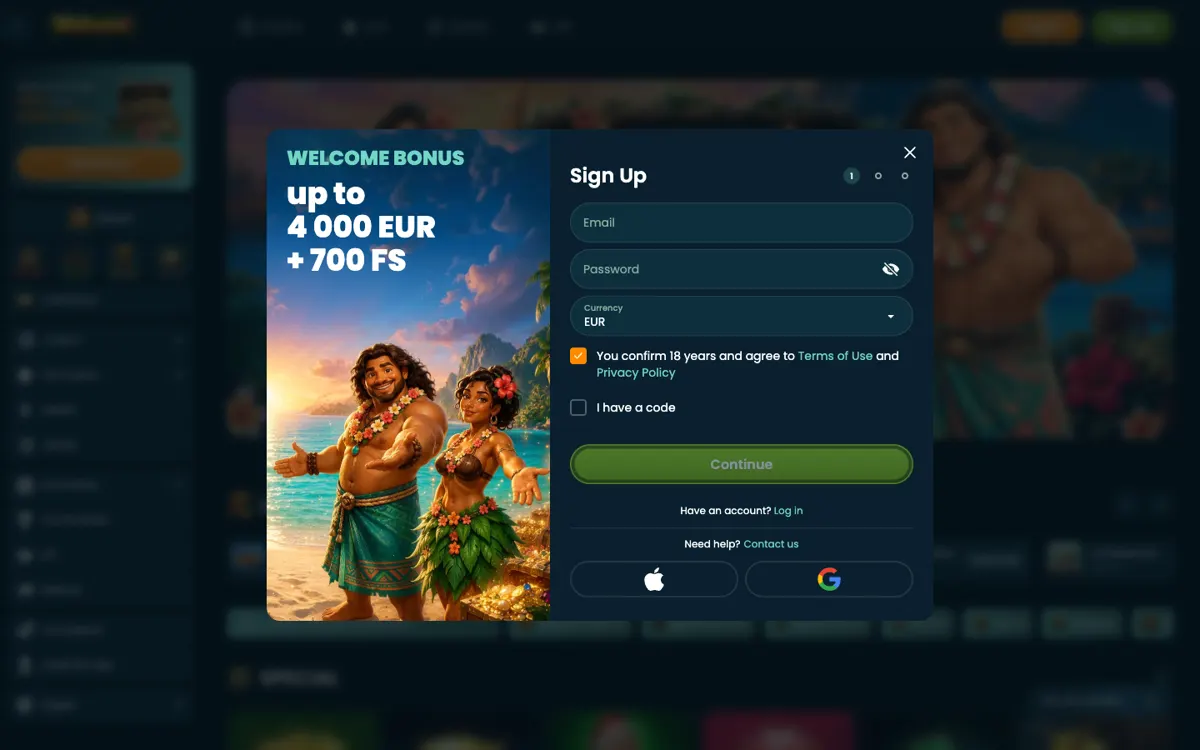
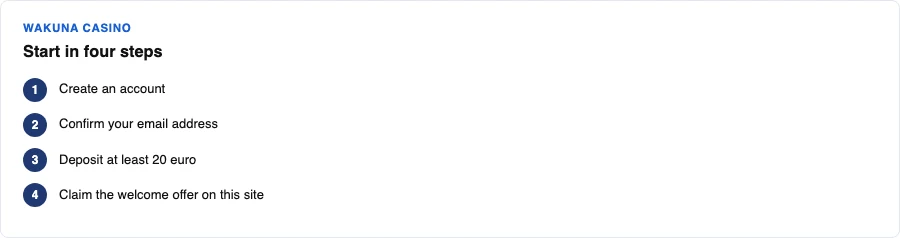
Sign-up screenStarting at Wakuna Casino in four steps
The sign-in sequence, step by step
Each step has one job, and the whole thing takes under a minute on a good connection.
Open the site in your browser and find the login button in the top corner.
Enter the email address tied to your account.
Enter your password, checking caps lock before you submit.
Complete any verification prompt the operator shows.
Confirm you land on the lobby, then check your balance before playing.
Once inside, the lobby splits into Popular, New, Slots, Live, Table, Instant, Jackpots, Hot RTP, Feature Buy, Bonus Friendly, Originals, Top-10 and VIP. The brand site says live tables run to 77 and sports events to 460+. If you want a look around before committing money, Demo play mode exists for slots.
Login field
What to enter
Common mistake
Email
The address used at registration
A second address you also own
Password
Case-sensitive string
Caps lock left on
Verification
Code or prompt shown on screen
Letting it expire
Device
The browser you normally use
Switching mid-session
When a password or code fails
Most failed logins fall into three buckets, and each has a different fix.
Wrong credentials
Re-type both fields by hand instead of pasting. Autofill sometimes inserts an old password saved from a different site. If you genuinely cannot recall it, use the reset link on the login screen and follow the email that arrives. Do not open a second account, because duplicates cause trouble later at withdrawal.
A verification prompt that loops
If a code or prompt keeps reappearing, close the tab completely, clear the browser cache, and start again from the address bar. Private or incognito windows can break session cookies, so use a normal window for the retry.
Access blocked entirely
If nothing works, use the 24/7 live chat or the email address shown inside your account area. No phone line is offered. Have your registered email ready, and never send your password to anyone. For the wider safety picture, read Is it safe? and Licensing before you deposit further.
Limits and the money side after login
The login screen is where money questions begin, so it helps to know the figures before you top up.
Minimum deposit is €20. Currency is EUR.
Deposit limits run to €1,000 per day, €4,000 per week and €10,000 per month.
Deposits must be wagered 3x before a withdrawal.
Withdrawals go by bank transfer or crypto, with about one day of processing.
E-wallets cannot claim the welcome bonus.
Dutch bank routes include ABN AMRO, ING, Rabobank, ASN Bank, SNS, RegioBank and N26, alongside Mastercard, Visa, Revolut, bank transfer, open banking and crypto. The Payments page has the full breakdown, and Withdrawal covers what happens after you request a payout.
If you are claiming a bonus, note that the welcome offer on this site is a separate Bet4Star promotion. It pays 225% up to €2,500 plus 500 free spins, promo code WB, wagering 35x, minimum deposit €30, max bet €5, max cashout €10,000, valid 30 days, deposit required, and open to players from the Netherlands, the UK and Germany. Full terms sit on the Bonus page.
A login you control is a login nobody else can use. A short checklist:
Use a password you do not reuse on email or banking.
Log out on shared devices rather than closing the tab.
Set financial limits in your account before your first deposit, not after a bad night.
Treat self-exclusion as a real tool, not a last resort.
Wakuna's tools include financial limits, self-exclusion, a link to a help organisation and transaction history. No reality check or time-out is listed. The Responsible gambling page sets out the Dutch help routes, including Loket Kansspel, Tactus verslavingszorg, Gokhulp and AGOG, plus the CRUKS register that KSA-licensed operators must use. This brand holds no KSA licence, so that protection does not apply here. Keep stakes inside a budget you set in advance, and never chase a loss.
The usual causes are a mistyped email, caps lock left on in the password field, or an expired verification prompt. Re-type both fields manually instead of relying on autofill, then retry in a normal browser window.
Can I log in without an app?
Yes. There is no native app, so login always happens in the browser. You can add the site to your home screen as a PWA of about 5 MB for quicker access, though the sign-in process stays the same.
What do I do if I forgot my password?
Use the reset link on the login screen and follow the email that arrives at your registered address. Do not open a second account, because duplicates complicate withdrawals later.
Is my login covered by a Dutch licence?
No. The operator states an offshore licence rather than one issued by the Kansspelautoriteit, and the brand is not connected to CRUKS. That means no Dutch dispute route if something goes wrong, so set your own limits and keep records.
Where do I get help if I am locked out?
Use the 24/7 live chat or the email address shown inside your account area. No phone support is offered. Never share your password with anyone claiming to help.